🔎 Quick Navigation
Capturing a High-Resolution Image
Opening the Droplet Analysis Module
Selecting the Droplet Thickness
Evaluating Atomization Properties
Capturing a High-Resolution Image
- Insert the foil with the spray pattern into the SprayCapture device.
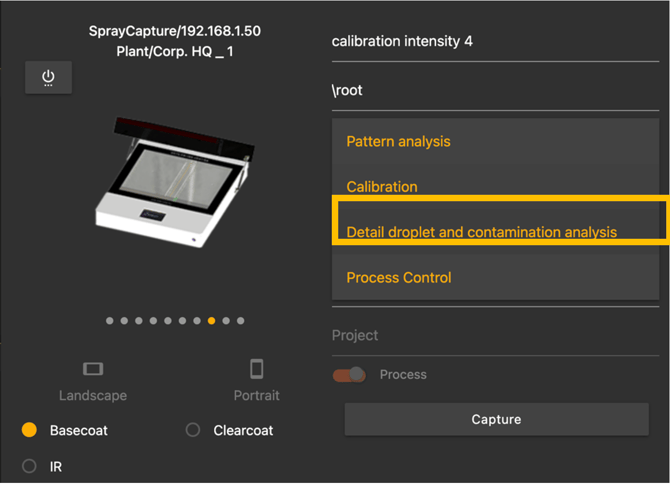
- In the Capture Unit Manager, select the option “Detail Droplet and Contamination Analysis”.
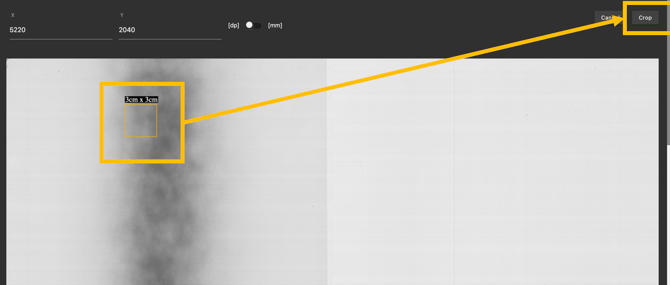
- Capture the first image – you will then be prompted to mark the specified area from the foil inside the SprayCapture unit for a high-resolution crop.
- After the first capture, mark the area for the high-resolution crop from the inserted foil inside the SprayCapture unit.
- The cropped area can be adjusted using the mouse wheel, ranging from 1x1 cm to a maximum of 5x5 cm.
If needed, the exact X/Y coordinates can be used to ensure precise crop positioning.
Opening the Droplet Analysis Module
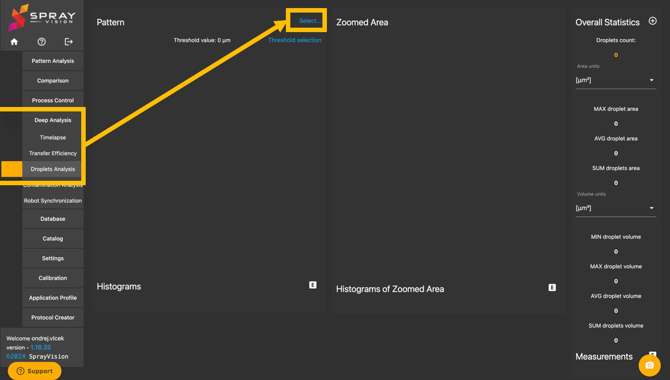
- Navigate to Deep Analysis in the menu.
- Select the Droplets Analysis Module.
- Click "Select" and open the previously captured image from the database.
Selecting the Droplet Thickness
-
Click on Threshold Selection to define the droplet thickness range for analysis.
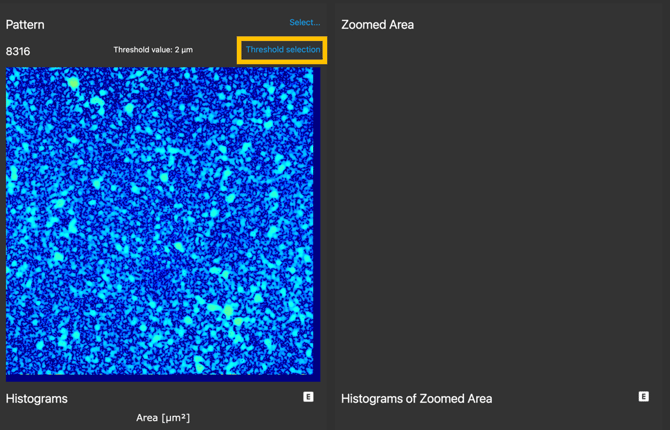
- Enter the desired droplet thickness value.
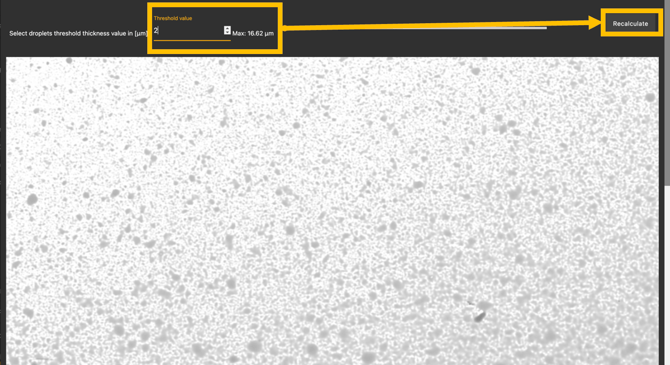
- Click "Recalculate" to initiate the analysis.
Viewing and Saving Results
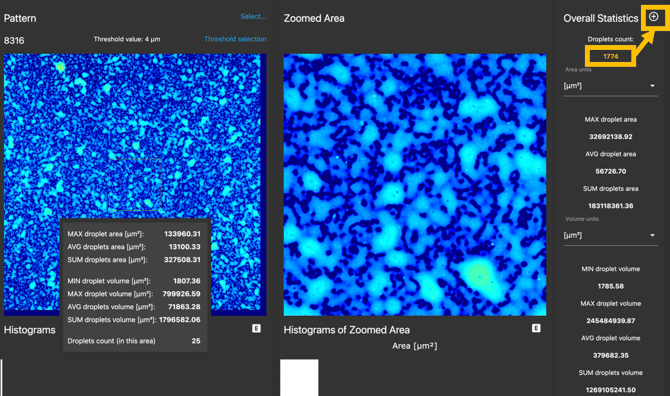
- The software will display the total number of droplets found in the selected thickness.
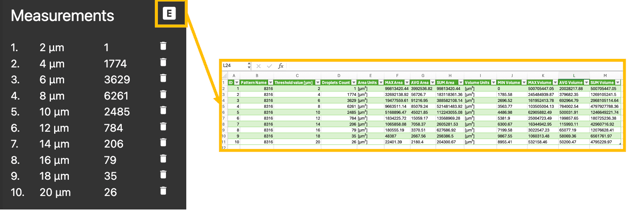
- To analyze multiple thicknesses, click the "+" button to save the current result and repeat the process with different threshold values.
- Continue until all relevant droplet thicknesses have been analyzed.
Evaluating Atomization Properties
- Once all measurements are completed, determine the dominant droplet thickness to assess the atomization characteristics.
- If needed, export the results to a .csv file for further analysis.